Blog
How to Get the Most Cash When You Sell Your MacBook in Orlando
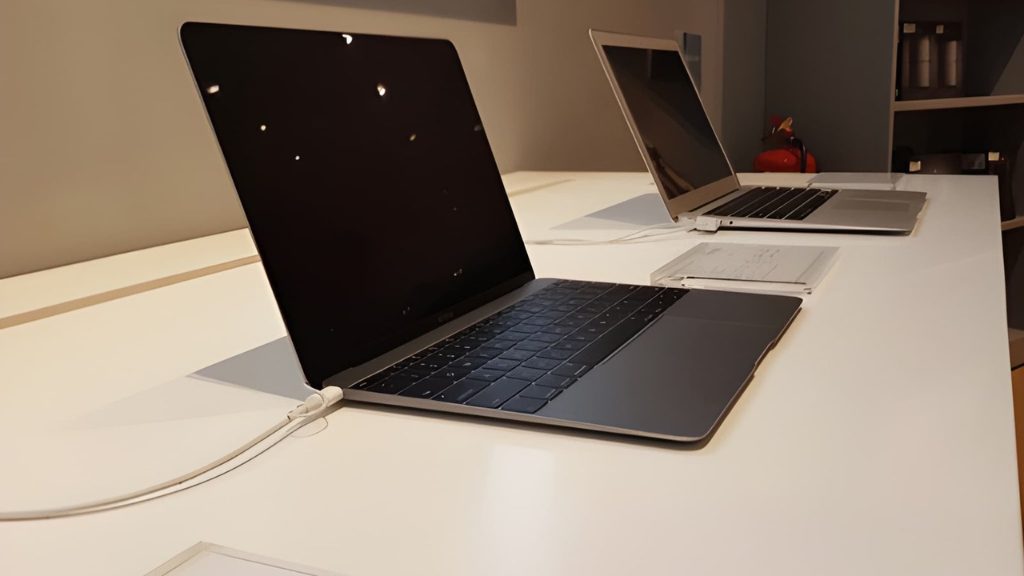
So your MacBook is sitting in a drawer collecting dust, or you’re ready to upgrade to something newer. Either way, you’re probably wondering, how do I actually get good money for this thing? If you’ve searched “sell my MacBook Orlando“ and landed on a confusing mix of online platforms, trade-in programs, and local ads, you’re not alone. Most people leave hundreds of dollars on the table simply because they don’t know what affects their MacBook’s value or where to get a fair deal. This guide breaks it all down so you walk away with the most cash possible.
What Actually Determines How Much Your MacBook Is Worth
Before you sell, you need to understand what buyers including us look at when pricing a used MacBook. It’s not just about the age of the device.
Model and Year
A MacBook Pro M3 from 2024 is worth significantly more than a 2017 Intel MacBook Air. Apple Silicon models (M1, M2, M3 chips) hold their value exceptionally well because they’re still fast, efficient, and supported by the latest macOS updates.
Storage and RAM
Higher storage (512GB, 1TB) and more RAM (16GB, 32GB) mean more cash. These specs can’t be upgraded after purchase on modern MacBooks, so buyers pay a premium for well-specced machines.
Condition
This is where most sellers lose money. Cosmetic condition matters, scratches, dents, and a worn keyboard all reduce your offer. A MacBook in clean, well-maintained condition will always fetch more.
Battery Health
MacBook batteries degrade over time. Buyers check battery cycle count (you can find this under System Information → Power). A battery under 200 cycles is considered excellent. Over 500 cycles and you’ll start seeing lower offers.
Accessories and Original Packaging
Having the original charger, box, and even the documentation bumps up perceived value. It signals that the previous owner took care of the device.
How to Prepare Your MacBook Before Selling — Step by Step
A little prep work before you sell can add real dollars to your final offer. Here’s exactly what to do:
Step 1: Back Up Everything
Use Time Machine or iCloud to back up all your files before doing anything else. Once you wipe the device, that data is gone.
Step 2: Sign Out of Everything
- Sign out of iCloud: Go to System Settings → Apple ID → Sign Out
- Sign out of iMessage, FaceTime, and any other Apple services
- Deauthorize your computer in the Apple Music or iTunes app
Skipping this step is the number one mistake sellers make. If iCloud Activation Lock is still on when a buyer gets the device, it becomes nearly unsellable and you’ll get a much lower offer or be asked to come back.
Step 3: Factory Reset the MacBook
On macOS Ventura and later, go to System Settings → General → Transfer or Reset → Erase All Content and Settings. On older macOS versions, restart in Recovery Mode and use Disk Utility to erase the drive, then reinstall macOS.
Step 4: Clean It Up
A clean MacBook looks more valuable because it is. Use a microfiber cloth to wipe the screen and body. Clean between the keys carefully. First impressions affect offers more than people realize.
Step 5: Check Your Battery Health
Go to System Information → Power → Cycle Count. Know this number before you walk in. It shows buyers you know your device and have nothing to hide, which builds trust and can support a better offer.
MacBook Trade-In vs. Selling Locally in Orlando — Which Pays More?
This is the question most people ask, and the honest answer is: local selling almost always wins.
Here’s a quick comparison:
Apple Trade-In
Apple’s trade-in program is convenient but notoriously low. A MacBook Pro worth $700 on the local market might get you $300–$400 in Apple credit and it’s store credit only, not cash.
Online Platforms (eBay, Facebook Marketplace, Craigslist)
You can get closer to market value, but you’re dealing with strangers, shipping risks, potential scams, and waiting days or weeks for a sale. For many people, the hassle isn’t worth it.
Selling Locally at Mobile Mobile Orlando
When you bring your MacBook to us, you get a transparent, on-the-spot offer based on real diagnostics not an algorithm. No waiting, no shipping, no strangers showing up at your door. If you’re happy with the offer, you walk out with cash in hand the same day.
We’ve been buying and selling devices in Orlando for over 17 years. We know the local market, we know MacBooks inside and out, and we don’t lowball just because we can.
Mistakes That Cost Orlando Sellers Money
Avoid these common errors that result in lower offers or failed sales:
- Not signing out of iCloud. This is the biggest one. A locked MacBook is worth a fraction of an unlocked one.
- Selling with a dying battery. If your battery health is below 80%, consider getting it replaced first, the repair cost may be less than the value you’d lose on the sale price.
- Accepting the first offer without comparison. Know your MacBook’s rough market value before walking in anywhere. A quick search on Swappa or eBay sold listings gives you a realistic baseline.
- Ignoring cosmetic issues you could fix cheaply. A $10 microfiber cloth and a careful cleaning session can make a real difference in how your device is assessed.
- Waiting too long. MacBook values drop with every new Apple release. If you’re thinking about selling, sooner is almost always better than later.
Why Orlando Residents Choose Mobile Mobile Orlando to Sell Their MacBook
There are plenty of places that claim to buy MacBooks in Orlando, but here’s what makes us different:
- Transparent pricing: we explain exactly how we arrive at your offer
- Same-day cash: no waiting for a buyer or hoping a check clears
- 17+ years of experience: we’ve handled thousands of MacBook transactions
- Honest assessments: we won’t invent problems to knock down your price
- We also repair: if a minor fix would significantly boost your MacBook’s value, we’ll tell you upfront so you can make an informed decision
Frequently Asked Questions
Q: How do I find out what my MacBook is worth before I sell it in Orlando?
A: Check recently sold listings on eBay or Swappa to get a market-based estimate. Then bring it to Mobile Mobile Orlando for a free, no-obligation assessment based on your actual device’s condition and specs.
Q: Do I need the original box and charger to sell my MacBook?
A: No, but having them helps. The charger especially adds value since Apple chargers aren’t cheap. The box is a nice bonus but rarely a dealbreaker.
Q: What if my MacBook has a cracked screen or other damage?
A: We still buy damaged MacBooks. The offer will reflect the condition, but you won’t be turned away. In some cases, we may suggest a repair first if it would meaningfully increase your payout, we’ll always give you the options.
Q: How long does the selling process take at Mobile Mobile Orlando?
A: Usually 20–30 minutes from walk-in to cash in hand. We run a quick diagnostic, make you a transparent offer, and if you accept, you’re done.
Q: Is selling my MacBook locally safer than selling online?
A: Much safer. No shipping risks, no payment scams, no strangers coming to your home. You deal face-to-face with a verified local business that has been serving Orlando for over 17 years.
Get the Best Price When You Sell Your MacBook in Orlando
If you want to sell your MacBook in Orlando and actually get what it’s worth, skip the trade-in programs that pay in store credit and the online platforms that waste your time. Prepare your device properly, know your specs, and bring it to a local buyer who’s been doing this for nearly two decades.
Visit Mobile Mobile Orlando on Orange Blossom Trail or send us your device today — most repairs are done in under an hour and diagnostics are free when you get the repair done with us.
Related Posts