Blog
Signs Your iPad Needs Professional Repair (Not a DIY Fix)
iPads are powerful, reliable devices used for work, education, entertainment, and communication. Because they’re designed to be sleek and compact, many users assume minor issues can be fixed at home. Unfortunately, DIY iPad repairs often cause more damage than they solve.
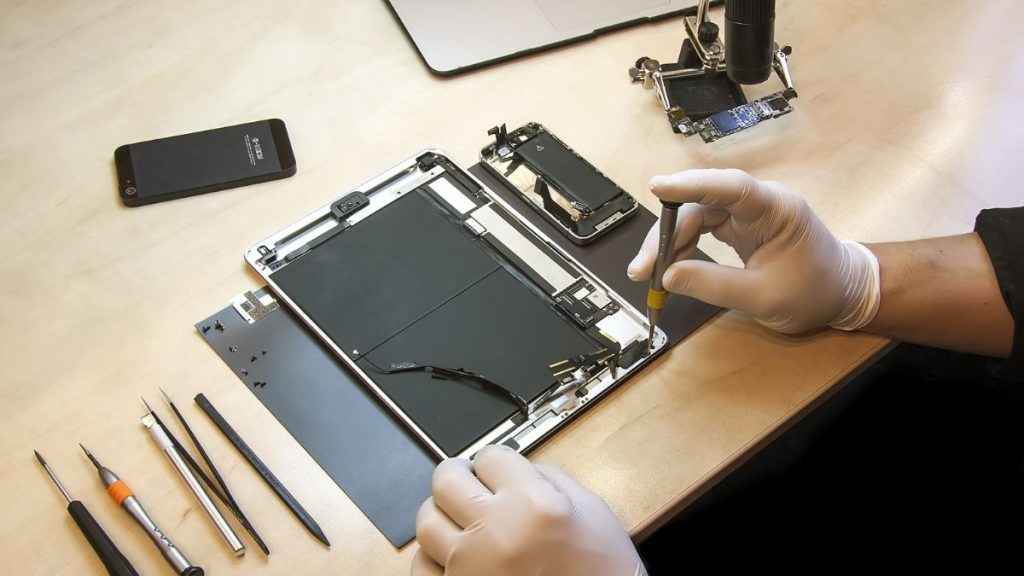
While simple software troubleshooting is safe, hardware issues require professional tools, experience, and parts. Knowing when your iPad needs professional repair not a DIY fix can save you time, money, and data loss.
This guide explains the most common warning signs that your iPad requires expert attention, why DIY repairs are risky, and how professional repair ensures long-term reliability.
Why iPads Are Not DIY-Friendly Devices
Unlike older electronics, modern iPads are:
- Tightly sealed with industrial adhesive
- Built with fragile internal connectors
- Designed with layered display assemblies
- Integrated with biometric and sensor systems
Opening an iPad without proper tools and training can easily damage:
- Display cables
- Battery connectors
- Touch sensors
- Logic board components
What seems like a simple issue often hides a much more complex problem underneath.
1. Cracked Screen With Touch or Display Issues
A cracked screen is one of the most common iPad problems. While some users continue using their device despite cracks, this often leads to worsening damage.
Signs DIY Is Not Enough:
- Touch response is inconsistent or delayed
- Dead spots appear on the screen
- Display flickers or shows lines
- Glass shards are lifting or separating
iPad screens are fused assemblies in many models, meaning glass-only repairs are rarely safe or effective. Professional repair ensures proper alignment, display integrity, and touch accuracy.
2. iPad Won’t Turn On or Randomly Shuts Down
If your iPad won’t power on or shuts down unexpectedly, the issue is rarely simple.
Possible causes include:
- Failing battery
- Logic board issues
- Power management failure
- Internal corrosion from moisture
DIY troubleshooting at this stage risks further damage. Professionals can safely test internal power flow and isolate the exact failure point.
3. Battery Drains Fast or Swells
Battery problems are more than an inconvenience they can be dangerous.
Warning Signs:
- Rapid battery drain
- iPad shutting down at high percentages
- Device overheating
- Screen lifting due to battery swelling
Attempting a DIY battery replacement can:
- Puncture the battery
- Cause overheating or fire risk
- Damage internal connectors
Professional battery replacement uses safe removal techniques and proper calibration to restore battery health.
4. Charging Port Issues
If your iPad won’t charge or only charges at certain angles, the problem often lies inside the device.
Common causes:
- Worn charging port
- Debris lodged inside
- Internal connector damage
Using sharp objects or forcing cables into the port can break internal pins. Professional repair ensures the port is properly cleaned, repaired, or replaced without harming nearby components.
5. iPad Overheats During Normal Use
Occasional warmth is normal, but consistent overheating is not.
Overheating may indicate:
- Battery failure
- Short circuits
- Logic board damage
- Background hardware faults
DIY fixes won’t address the root cause and may worsen the issue. Professional diagnostics identify why the device overheats and prevent long-term damage.
6. Water or Liquid Exposure
Even brief exposure to moisture can cause hidden internal corrosion.
Signs of water damage include:
- Speaker distortion
- Screen discoloration
- Unresponsive buttons
- Face ID or Touch ID failure
DIY drying methods like rice or heat can push moisture deeper inside. Professional ultrasonic cleaning is often required to remove corrosion and save internal components.
7. Touch ID or Face ID Stops Working
Biometric systems are sensitive and tightly integrated into iPad hardware.
Common DIY risks include:
- Permanently disabling biometric security
- Damaging paired components
- Breaking calibration links
Professional repair preserves security features while resolving underlying issues safely.
8. Camera or Audio Problems
If your iPad’s camera won’t focus or speakers sound muffled, internal components may be affected.
DIY attempts often:
- Damage flex cables
- Cause alignment issues
- Break delicate connectors
Professionals use proper disassembly techniques and testing tools to restore full functionality.
9. Software Issues That Don’t Resolve With Updates
Not all issues are hardware-related, but persistent software problems may signal deeper issues.
Signs include:
- Repeated app crashes
- Boot loops
- Freezing during startup
- Failure to update iOS
Professional technicians can determine whether the issue is software corruption or hardware failure something DIY troubleshooting often misdiagnoses.
10. Multiple Issues Appearing at Once
When several problems occur together such as battery drain, screen glitches, and charging issues it’s often a sign of internal board damage.
DIY repairs typically address only surface symptoms, not root causes. Professional repair ensures comprehensive evaluation and long-term reliability.
Why DIY iPad Repairs Often Fail
Many DIY repairs go wrong due to:
- Lack of proper tools
- Low-quality replacement parts
- No calibration or testing
- Damage during disassembly
- Loss of water resistance
What starts as a low-cost attempt often becomes a more expensive professional repair later.
How Professional iPad Repair Protects Your Device
Professional repair offers:
- Accurate diagnostics
- OEM-grade or high-quality parts
- Safe battery handling
- Precision reassembly
- Full function testing
- Warranty-backed repairs
This ensures your iPad performs reliably long after the repair is completed.
How Repairs Affect Resale & Trade-In Value
Proper professional repair helps preserve:
- Display quality
- Battery health
- Internal integrity
- Device appearance
Poor DIY repairs often reduce resale value or disqualify devices from trade-in programs altogether.
When It’s Time to Stop Troubleshooting and Seek Help
You should visit a professional repair shop if:
- The iPad shows hardware symptoms
- DIY fixes haven’t worked
- The device heats up abnormally
- Battery swelling is visible
- Data safety is a concern
Early professional intervention often prevents permanent damage.
Final Thoughts:
While DIY fixes may seem appealing, iPads are not designed for at-home hardware repair. Recognizing the signs that your iPad needs professional attention can save you money, protect your data, and extend your device’s lifespan.
If your iPad shows any of the signs above, professional repair is the safest and most reliable solution.