Blog
Water Damaged iPhone? What To Do Before Visiting a Repair Shop
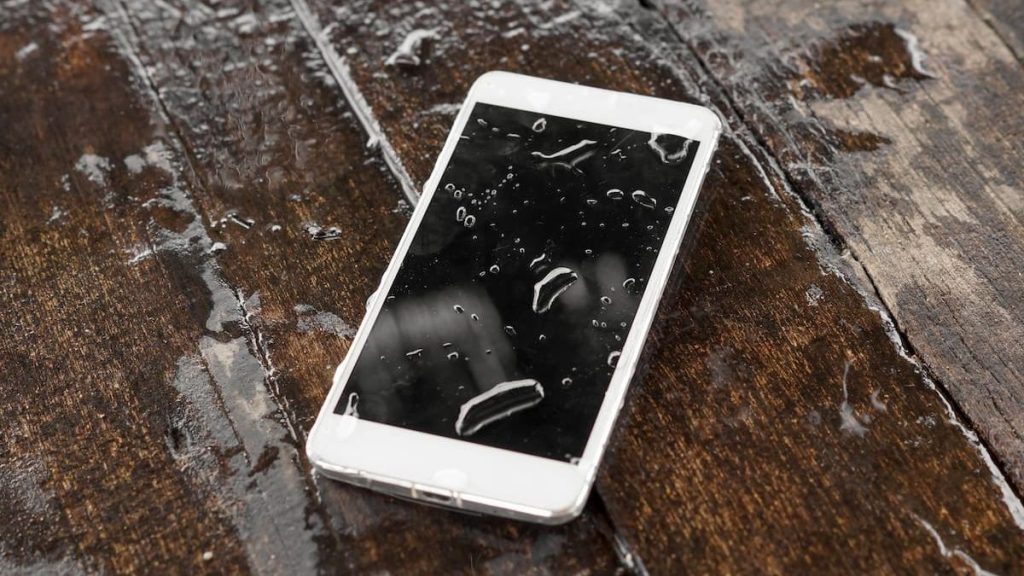
Dropping your iPhone in water can be stressful especially when it holds your photos, messages, work files, and personal data. Whether it slipped into a pool, got soaked in heavy Orlando rain, or fell into a sink or toilet, water damage is one of the most urgent iPhone issues users face.
Many people panic and make quick decisions that unintentionally cause more harm. Knowing what to do immediately and what not to do can significantly improve the chances of saving your device before you bring it to a professional for water damaged iPhone repair in Orlando.
This guide explains the right steps to take, common mistakes to avoid, and how professional repair shops handle water-damaged iPhones.
Why Water Damage Is More Serious Than It Looks
Modern iPhones are marketed as “water-resistant,” but water resistance is not the same as waterproof. Over time, seals degrade due to drops, heat, and everyday wear. Even brief exposure to moisture can allow liquid to seep into internal components.
Water damage can affect:
- The logic board
- Battery connections
- Display layers
- Charging port
- Speakers and microphones
- Face ID and sensors
The real danger isn’t always immediate failure it’s corrosion, which develops hours or days after exposure.
Step-by-Step: What To Do Immediately After Water Exposure
1. Remove the iPhone From Water Right Away
The longer the phone stays submerged, the more liquid enters internal components. Remove it as quickly as possible and gently shake off excess water.
2. Turn the iPhone OFF Immediately
If your phone is still on, power it off right away.
Why this matters:
Electricity + water = short circuits. Keeping the device powered can permanently damage internal chips.
3. Remove the Case, SIM Card & Accessories
- Take off any protective case
- Remove the SIM tray
- Disconnect charging cables or accessories
This allows trapped moisture to escape and improves airflow.
4. Gently Dry the Exterior
Use a soft, lint-free cloth to wipe the screen, ports, and edges. Avoid shaking aggressively, which can push water deeper inside.
5. Keep the Phone Upright
Position the iPhone vertically with the charging port facing downward. Gravity helps moisture drain naturally.
❌ What NOT To Do (Common Mistakes)
Many water-damaged iPhones become unrepairable because of incorrect DIY attempts. Avoid these at all costs:
❌ Do NOT Use Rice
Rice does not effectively remove moisture from internal components and often leaves dust inside ports.
❌ Do NOT Use a Hair Dryer
Heat can:
- Warp internal components
- Melt adhesives
- Push moisture deeper into the phone
❌ Do NOT Charge the Phone
Charging a wet iPhone is one of the fastest ways to cause permanent logic board damage.
❌ Do NOT Power It Back On “To Check”
Even if it seems to work temporarily, corrosion can silently spread.
Why Speed Matters in Water-Damaged iPhone Repair
Time is the most critical factor in water damage cases. The longer moisture remains inside, the more corrosion develops on sensitive components.
Professional water damaged iPhone repair Orlando services focus on:
- Stopping corrosion early
- Cleaning internal connections
- Preventing long-term failures
Waiting even 24–48 hours can dramatically reduce repair success rates.
Signs Your iPhone Has Water Damage (Even If It Turns On)
Some iPhones appear fine initially but show symptoms later, including:
- Muffled or distorted sound
- Face ID failure
- Screen flickering or discoloration
- Random shutdowns
- Overheating
- Charging issues
Apple devices also contain liquid contact indicators (LCIs) that turn red when exposed to moisture technicians check these during diagnosis.
How Professional Repair Shops Fix Water-Damaged iPhones
A reputable Orlando repair shop follows a structured repair process, not guesswork.
Step 1: Professional Diagnostic
Technicians open the device and inspect:
- Logic board
- Battery connections
- Display connectors
- Corrosion points
Step 2: Ultrasonic Cleaning
Specialized ultrasonic machines remove corrosion at a microscopic level something DIY methods can’t achieve.
Step 3: Component Testing
Each part is tested individually to determine what can be saved and what needs replacement.
Step 4: Targeted Repairs
Instead of replacing the entire phone, technicians repair or replace only affected components whenever possible.
Step 5: Final Testing
Before returning the device, all functions are tested:
- Touchscreen
- Charging
- Audio
- Cameras
- Face ID
- Network connectivity
Can a Water-Damaged iPhone Be Fully Recovered?
In many cases yes. Recovery depends on:
- Type of liquid (fresh water vs salt or sugary liquids)
- Exposure time
- How quickly professional repair begins
- Whether the phone was powered on afterward
Saltwater, soda, and coffee cause faster corrosion and require immediate professional attention.
Water Resistance Myths Orlando Users Should Know
“My iPhone Is Water-Resistant”
Water resistance:
- Decreases over time
- Is not covered by warranty
- Does not protect against pressure or chemical exposure
“It Works Now, So It’s Fine”
Corrosion develops gradually. Phones often fail days or weeks later if untreated.
How Water Damage Affects Resale & Trade-In Value
Even if repaired, water damage can reduce resale value if not handled properly. Professional repairs help preserve:
- Internal component integrity
- Data security
- Overall device reliability
Unrepaired corrosion almost always lowers trade-in offers or disqualifies devices entirely.
Why DIY Water Damage Fixes Usually Fail
Online “hacks” oversimplify the problem. Internal corrosion is invisible to the naked eye and requires professional equipment.
DIY attempts often result in:
- Shorted logic boards
- Data loss
- Permanent Face ID failure
- Higher repair costs later
Professional water damaged iPhone repair Orlando services protect both your device and your data.
When To Visit a Repair Shop Immediately
You should seek professional help if:
- The phone was submerged
- Liquid entered charging or speaker ports
- The screen shows lines or dark spots
- The device overheats after exposure
- Sound or cameras stop working
Immediate action increases the chances of a full recovery.
Choosing the Right Water Damage Repair Shop in Orlando
Not all shops handle water damage correctly. Look for:
- Experienced technicians
- Advanced diagnostic tools
- Ultrasonic cleaning capability
- Clear repair process
- Transparent pricing
- Warranty on repairs
A trustworthy local shop prioritizes data safety and long-term performance, not quick fixes.
Final Thoughts:
Water damage doesn’t always mean your iPhone is lost but every minute matters. The right steps before visiting a repair shop can make the difference between a successful repair and permanent damage.
If your iPhone has been exposed to liquid, avoid risky DIY fixes and seek professional help as soon as possible. Trusted water damaged iPhone repair Orlando specialists can assess the damage, stop corrosion, and give your device the best chance of recovery.

Related Posts